Logs
All your logs in one place.
One command shows what every jail of a project is writing, merged by time. The console has the same view, live. And the host can send the lines on to your syslog server or a webhook, without an agent in any jail.
How it works
From each jail to wherever you read logs
Nothing is installed in the jails, and nobody needs a shell in them.
- The jails writeTheir own
syslogdwritesmessages; apps write the files their definition declares. - The helper readsFiles below each jail's
/var/log, read-only, no symbolic link followed. - One stream
jailops logsand the console merge the lines by their timestamps. - ForwardedThe daemon sends the same lines to syslog servers and webhooks, one queue per sink.
One stream, ordered by time
jailops logs without a jail name.
# every jail of the project, the last 200 lines of messages of each
$ jailops logs
# and what is written afterwards, until interrupted
$ jailops logs -f
# two jails, the last 15 minutes
$ jailops logs --jail web --jail db --since 15m
# jails with that label, lines containing "error"
$ jailops logs -l tier=front --grep error
# the jails installed from an app, with the app's own files
$ jailops logs --app postgresql --app-logs
# every project you may use, one JSON object per line
$ jailops logs --all-projects -o json
- Each line starts with
jail/file(project/jail/filewith--all-projects), coloured per jail on a terminal.NO_COLORturns the colours off. - The order comes from the lines themselves. RFC 3339, RFC 5424,
2026-11-01 09:30:00, the classic syslog formNov 1 09:30:00and the bracketed web server form are read. A line without a timestamp, such as a stack trace, keeps its place after the line before it. - Filters:
--jailand-l KEY=VALUE(both repeatable),--app,--app-logs,--fileinstead ofmessages,--tail,--sinceand--grep. - A file that cannot be read is named, on standard error, with the reason: a stopped jail has no mounted root, for one.
- The operator role in the project is enough, as for one jail's logs; with
--all-projects, in every project read. Reading is audited.
jailops jail logs NAME is still the one jail's logs, with its rotated copies. At most 50 files and 2000 lines are merged per read; standard error says when something was left out.
In the console
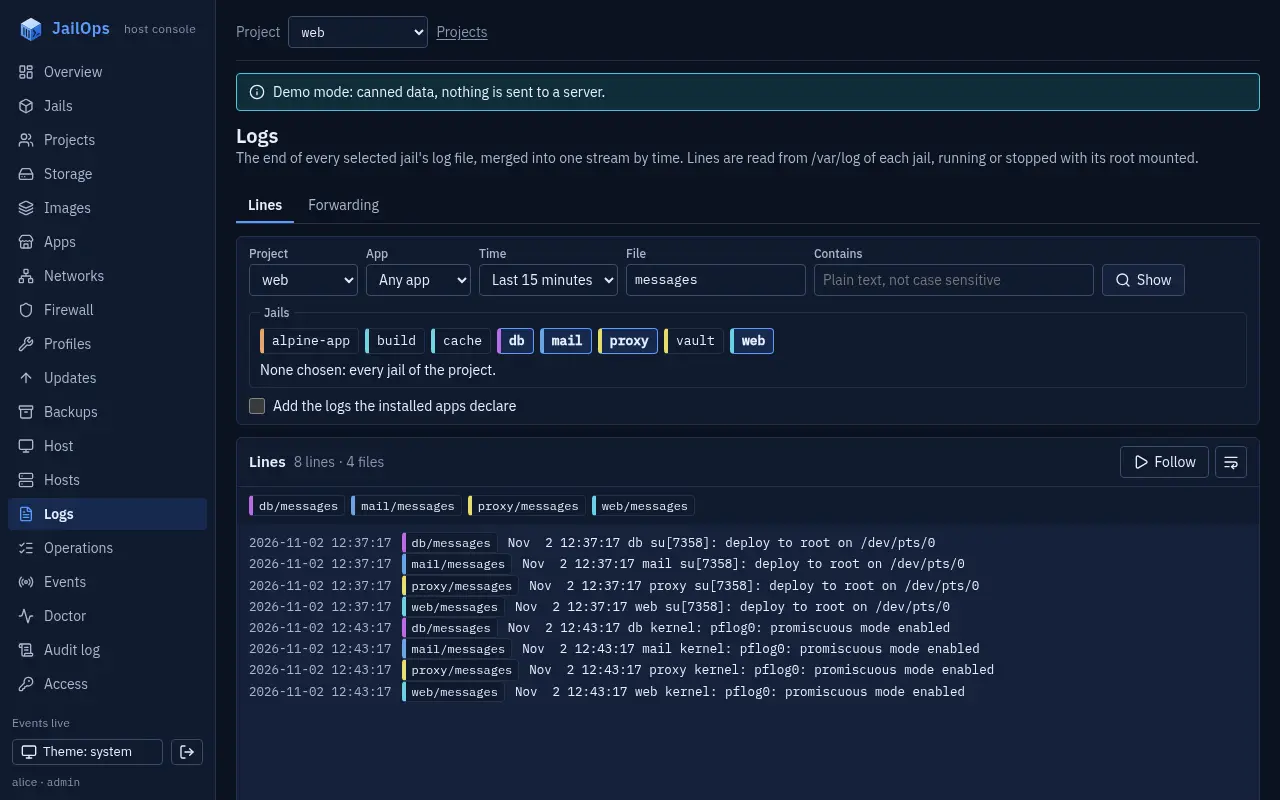
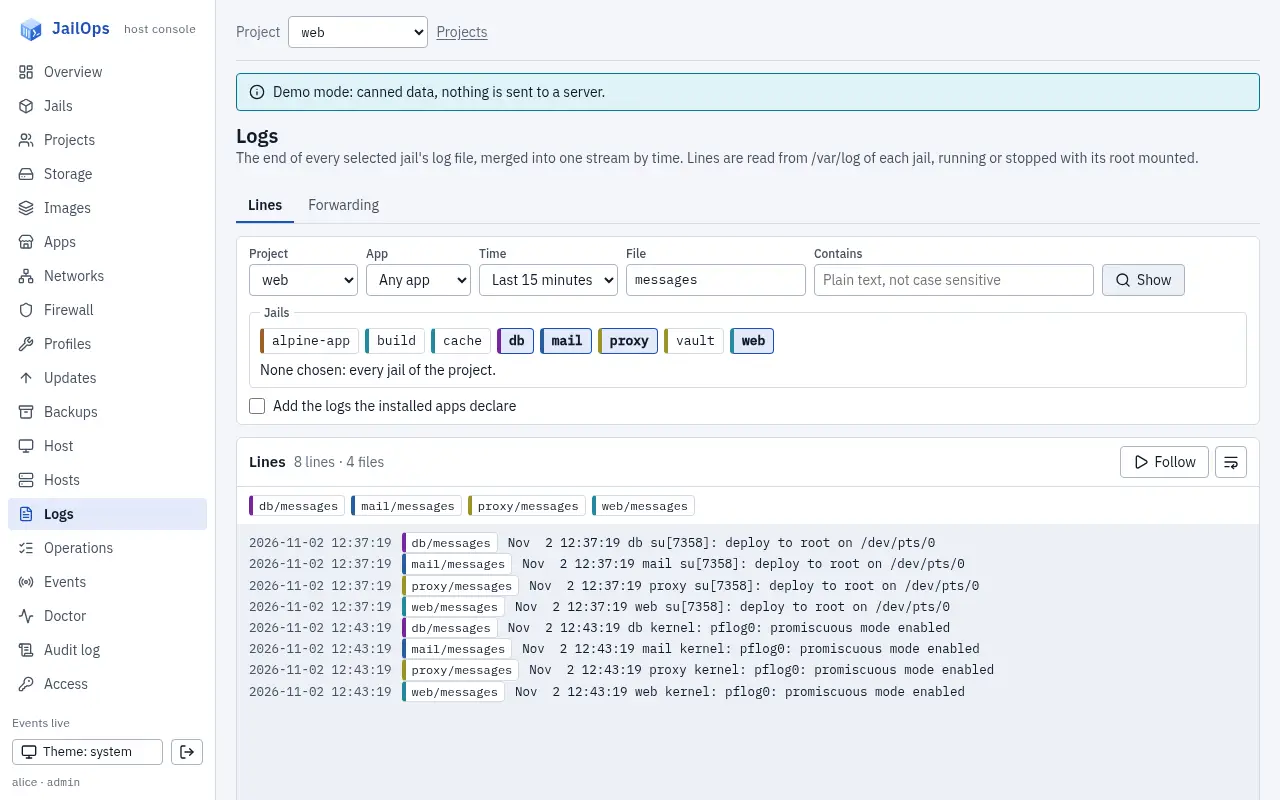
The Logs page.
Pick a project or all of them, the jails, an app, a text and a time window. Each jail gets a colour chip, Follow keeps the view live, and the files that could not be read are listed with the reason. The Logs tab of every jail links here.
Forwarding
To a syslog server or a webhook.
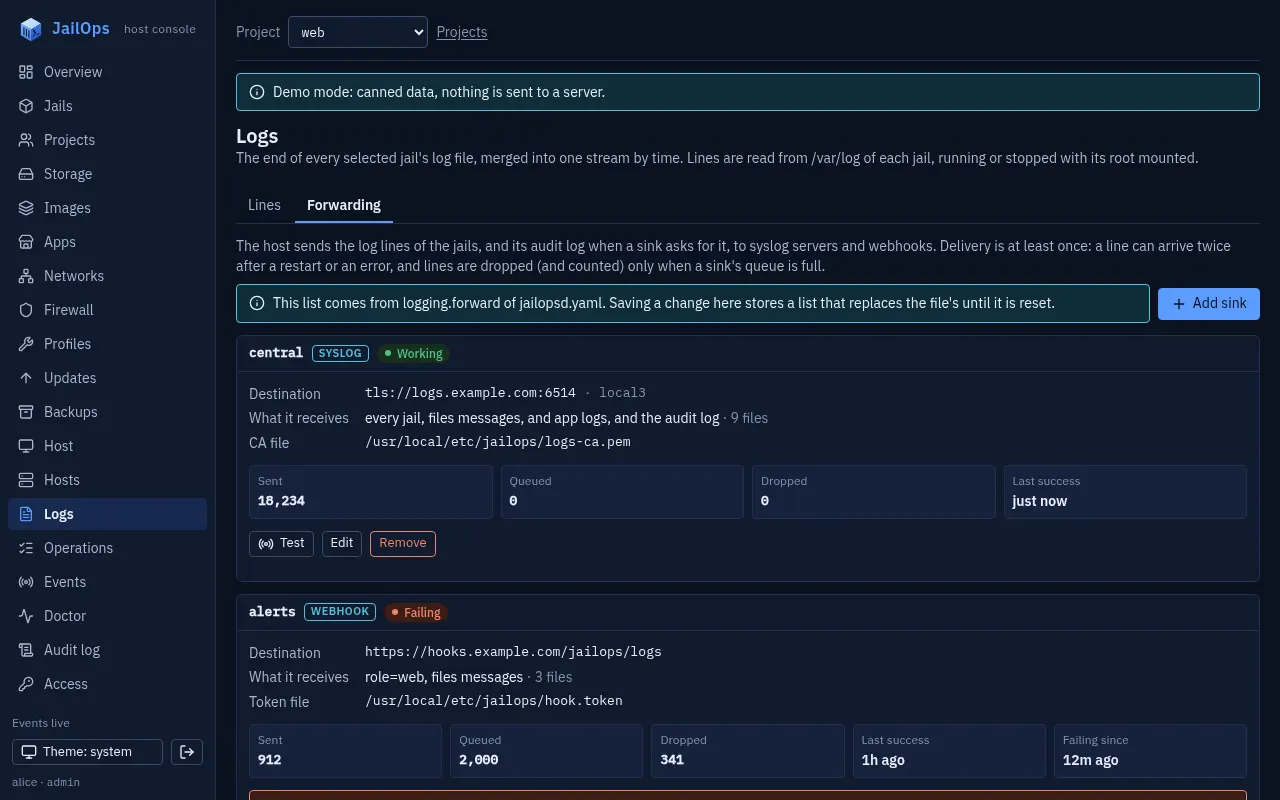
The daemon sends the lines itself, one loop per sink. By default a sink takes messages of every jail plus the files installed apps declare; narrow it by project, jail or label, leave jails out, or add the daemon's audit log.
$ jailops logs forward add logs --url tls://logs.example.com:6514 --facility local3
$ jailops logs forward add local --url tcp://127.0.0.1:1514 --jail web --jail db
$ jailops logs forward add webhook --url https://hooks.example.com/jailops \
    --token-file /usr/local/etc/jailops/hook.token --audit-only
# one tagged line to the sink "logs", and whether it was delivered
$ jailops logs forward test logs
# sent, queued, dropped, last delivery, failing since, last error
$ jailops logs forward status
# back to logging.forward of jailopsd.yaml
$ jailops logs forward reset
The same list can live in jailopsd.yaml under logging.forward. A sink has the name you give it: logs is the first sink above. A list stored from the command line or the console replaces the file's until you reset it, and jailops logs forward list says which one is in force. Every change takes --dry-run, and reading, changing and testing the list need a global administrator.
logging:
  forward:
    - name: central
      type: syslog
      to: tls://logs.example.com:6514
      facility: local3
      ca_file: /usr/local/etc/jailops/logs-ca.pem
    - name: alerts
      type: webhook
      to: https://hooks.example.com/jailops
      token_file: /usr/local/etc/jailops/hook.token
      sources: {no_jails: true, audit: true}
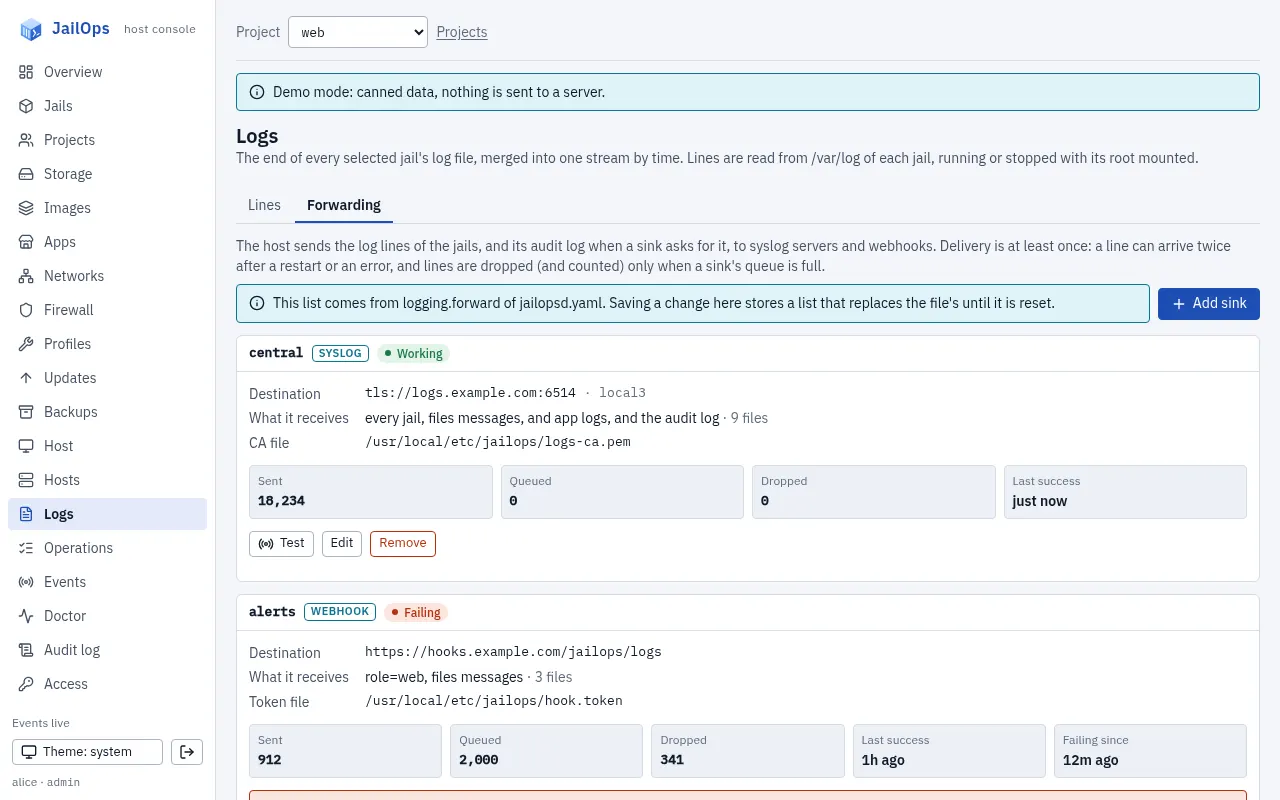
The Logs page has a Forwarding tab for a global administrator: each sink with its state and counters, and buttons to add, edit, test and remove, or to go back to the file's list.
What is sent
RFC 5424 syslog, or JSON lines.
Syslog goes over udp://, tcp:// or tls://. A line of messages of the jail nginx in the project web, with facility: local3, on a host named host1.example.com:
<158>1 2026-11-01T09:30:00.000000Z host1.example.com jailops - log [jailops project="web" jail="nginx" app="nginx" file="messages"] Nov 1 09:30:00 nginx sshd[42]: Accepted publickey for deploy
- The structured data says where the line comes from: project, jail, app and file. Search for
[jailopsorjail=on the receiver. - Every line is sent as informational; a log line carries no severity JailOps could trust. APP-NAME is
jailops, MSGID islog, orauditfor the audit log. - The line is data. Control characters are escaped, invalid UTF-8 is replaced and the line is cut at 8 KiB, so a jail cannot forge a second message or a header.
- Over tcp and tls messages travel as octet-counted frames; over udp, one per datagram.
- The SD-ID is
jailopswithout an enterprise number. A receiver that insists on thename@numberform for private IDs may reject it.
A webhook receives a POST of JSON lines, up to 200 per request, with a bearer token when you give a token file. A 2xx answer counts as delivered.
{"time":"2026-11-01T09:30:00Z","host":"host1.example.com","project":"web","jail":"nginx","app":"nginx","file":"messages","line":"Nov 1 09:30:00 nginx sshd[42]: Accepted publickey for deploy"}Delivery, honestly
At least once, while nothing overflows.
- At least once. Each sink saves, per file, where it stopped, at most every two seconds and when the daemon stops. After a restart it reads again from there, so a few lines can arrive twice.
- What delivered means: for udp, handed to the network, and nothing confirms it; for tcp and tls, written into the connection, so a batch written just as the receiver goes away can be lost; for a webhook, answered with 2xx.
- When the receiver is away, the sink keeps reading into a bounded queue (10,000 lines by default) and retries with a backoff that doubles from one second up to five minutes, with jitter. When the queue is full, the oldest lines are dropped and counted.
- A new sink starts at the end of the files: what is written from then on. More than 1 MiB written to one file between two reads is skipped and counted, and a rotation is noticed when a file is shorter than where the sink stopped.
- Order is the order of each file; lines of different files are not ordered against each other.
- You can see all of it:
jailops logs forward status, the console, andjailops doctor, which warns when a sink has failed for more than five minutes.
Security
Logs can hold secrets.
- TLS is always verified, against the host's roots or the
ca_fileyou give. There is no switch to turn verification off. - Plain udp and tcp send in the clear: use them for a receiver on the same host or a trusted network. A plain sink to an address that is not a loopback one carries a warning in its status and in the doctor.
- The webhook token stays in a file owned by root, which the daemon reads at each delivery. It is never in the configuration, the API or the audit log.
- Who may: the sink list names receivers and files of the host, so it is a global administrator's. Reading the merged view needs the operator role in each project read.
Limits
And what is still open.
- At most 16 sinks, 1000 files per sink, a queue of 100 to 1,000,000 lines, 1 MiB read per file and round, files read every two seconds.
- Compressed rotated copies (
messages.1.gz) are not read, and files an app declares outside/var/logcannot be read through the helper. - A stopped jail's files cannot be read; a sink picks them up again from where it stopped once the jail runs.
- Not yet tried against real receivers: a syslog server over TLS, FreeBSD's own
syslogdas the receiver, and forwarding across a rotation bynewsyslog.
Every key, flag and limit: docs/logging.md.