WireGuard
Connect networks with one command.
One command on the server, one on the other side. The host makes the keys, assigns the addresses, applies the configuration and keeps the tunnel up across reboots. A laptop, a phone or a branch host reaches the jails you choose, and nothing else.
The flow
From nothing to a peer that reaches your jails
Every command that changes something takes --dry-run.
- Create the server
jailops wireguard create officewith an address, the networks peers may reach and the endpoint they dial. - Add a peer
peer add office laptop: keys made on the host, the next free address, a join token printed once. - Hand it overThe token is a secret. Pass it on over a channel you trust; it is stored nowhere on the server.
- Join
jailops wireguard join TOKENon another host, or--format conffor a phone. - Reach the jailsA managed pf anchor passes the tunnel's traffic to the networks you named, and nothing else.
On the server
Create the tunnel, enroll a peer.
$ jailops wireguard create office --address 10.99.0.1/24 \
    --network web --endpoint vpn.example.com:51820
wireguard/office created
$ jailops wireguard peer add office laptop
Peer laptop of wireguard office enrolled with 10.99.0.2/32.
warning: this token holds the peer's private key and the preshared key: it is shown once, ...
jwg1.eyJu...
$ jailops wireguard status office    # per peer: handshake, transfer, endpoint
- Addresses are handed out for you.
peer addtakes the next free address of the pool, or the one you give with--address. - The token is printed once. It holds the peer's private key, the preshared key, the server's public key, the endpoint, the addresses and the routes. The server keeps only the peer's public key and the preshared key. A lost token is replaced by removing the peer and adding it again.
- The rest is one command each:
peer list,peer remove,downandup(the keys stay),rotate-keys,delete.
On the other side
Another JailOps host, or a phone.
# another JailOps host: the client is created and comes up
$ jailops wireguard join office --token-file - < token.txt
wireguard/office joined

# a phone or a laptop without JailOps, on the server:
$ jailops wireguard peer add office phone --format conf > phone.conf
join - reads the token from standard input, so it stays out of your shell history; jailops wireguard join TOKEN works too. The client's keys go to the root helper of that host. The configuration file holds the same secret as a token, in the format the WireGuard apps import.
A client routes what the token names into the tunnel: the server's tunnel subnet and the subnets of the networks it serves. Never a default route.
Where the keys live
With the root helper, and nowhere else.
- One root-only directory per tunnel, below the helper's own WireGuard directory,
/var/db/jailops-priv/wireguard(mode 0700, key files 0600). It is outside the daemon's data directory on purpose: the daemon can neither read it nor replace it. - Never in the API's objects, the audit log, a log or a command line. The one exception is the join token, printed once for the peer it belongs to.
wg pubkeyreads a private key on standard input, the configuration reaches the kernel withwg syncconffrom a 0600 file the helper removes, and when the helper readswg showit answers with the public parts only. - Admin for changes. Reading tunnels and peers needs the operator role; creating, enrolling, joining, rotating and deleting need a global administrator, and the helper checks the admin assertion again for every change. Every change is audited by name, never with a body.
- Hands off what is not its own. The helper records which interface it created and refuses to touch one of the same name that it did not.
Routing and the firewall
Into the networks you name, through every firewall that already applies.
- The listen port is your rule. JailOps never edits
pf.confunless you turn on the host firewall module, where an allow row opens the port.jailops wireguard showprints the one rule to add asfirewall_rule, for examplepass in on $ext_if proto udp to port 51820. - A managed anchor per server. For a server with networks, JailOps loads
jailops/wg.<name>. It passes traffic from the tunnel's subnets to the subnets of those networks and decides nothing else. It is evaluated through theanchor "jailops/*"line you already have. - Forwarding stays your switch, as for networks.
- The doctor watches it.
jailops doctorwarns about the wg program (wireguard.tools), forwarding (wireguard.forwarding) and a listen port no loaded rule mentions (wireguard.firewall).
FreeBSD has the WireGuard driver, if_wg, in the base system. The wg program is looked for at /usr/bin/wg and then /usr/local/bin/wg; if your release does not have it, pkg install wireguard-tools.
In the console
Networks, then WireGuard.
Create a server, add a peer and copy its token (shown once, with a .conf download for phones), join by token, and see each peer with its last handshake and transfer.
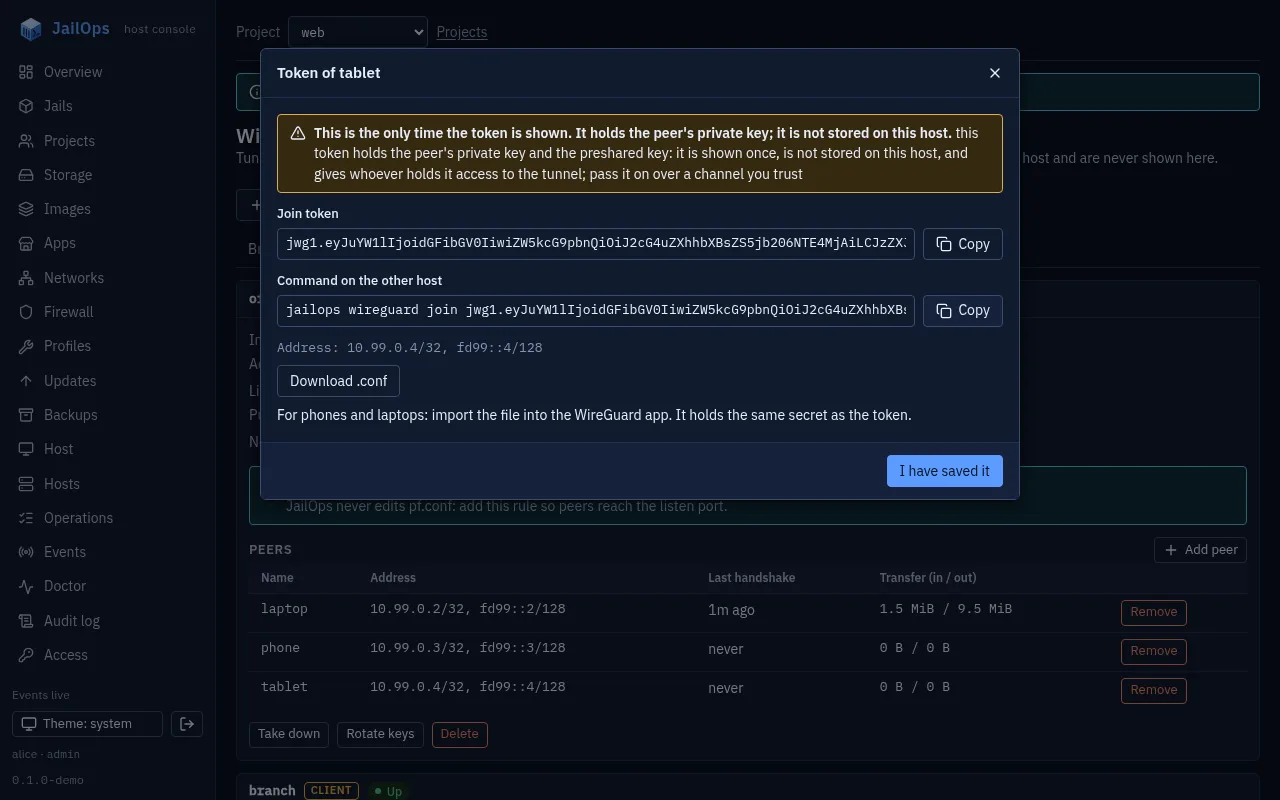
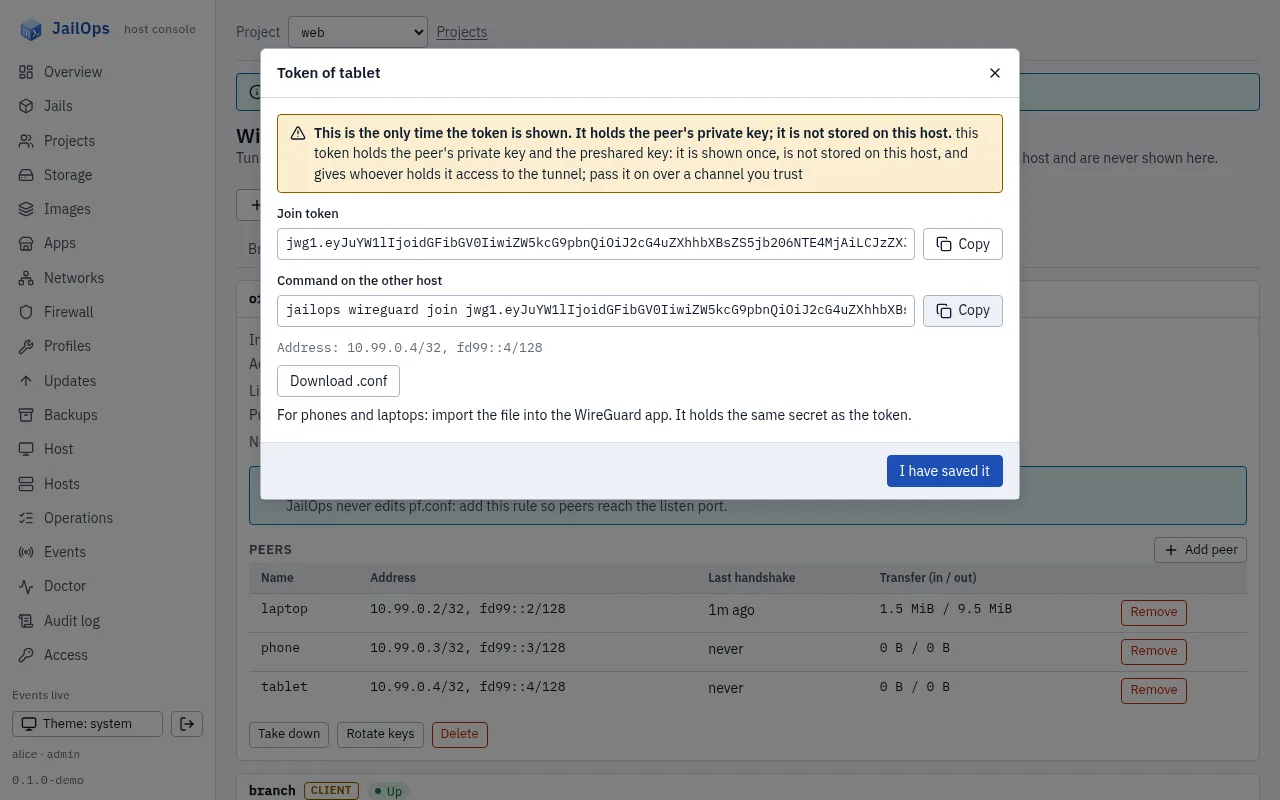
.conf download. Demo data.A fleet repository can declare servers and their peers' public parts, never a private key. Clients are made with join.
What it is not
Tunnels between your hosts and devices, kept simple.
- No full tunnel: a client never takes the host's default route.
- No NAT for peers, no DNS change on the host, no automatic forwarding of the listen port.
- Peers get single addresses, not routed subnets behind them.
- A rotated key is not sent anywhere: after
rotate-keyson a server, every peer needs a new token.
The details, including the fields of a tunnel: docs/wireguard.md.