Encrypted volumes
Encrypted at rest, unlocked by you.
Make a volume encrypted with native ZFS encryption and attach it to a jail. After every boot of the host the volume, and the jail that uses it, stays locked until someone types the passphrase. JailOps never stores it, so a stolen disk or a powered-off host does not give away the files on that volume (names and sizes of datasets stay readable, and the rest of the jail is not encrypted). A forgotten passphrase means the data on the volume is lost.
The flow
From a new volume to a locked one, and back
One passphrase per volume.
- Create
jailops volume create secrets --encrypted; the passphrase is asked twice, without echo. - The host bootsThe keys are not loaded. The volume is locked, so is the jail that attaches it, and the boot skips it.
- Unlock
jailops volume unlock secrets --start, or the Unlock dialog of the console. - It runsThe jail reads its volume as plain files, like any other jail.
- Lock again
jailops volume lock secretsstops the jail and unloads the key, without a reboot.
Create the volume
Encryption is chosen once, at creation.
$ jailops volume create secrets --project web --encrypted --size 20G
Passphrase for the encrypted volume:
Repeat the passphrase:
volume/secrets created
$ jailops create vault --project web --image freebsd-15-1 --network lan --storage default
$ jailops volume attach vault secrets /var/db/secrets --project web
- The volume is its own ZFS encryption root:
aes-256-gcm,keyformat=passphrase,keylocation=prompt, the key derived from the passphrase by ZFS.encrypted: truedoes the same in a file forjailops volume create -f. - The passphrase is 12 to 512 bytes, one line.
jailopsasks for it twice without echo and refuses a pipe. A script gives a file with--passphrase-file, kept at mode 0600 (jailopswarns otherwise). There is no option that takes the passphrase as an argument: it would end up in the shell history and inps. - It is never kept. The daemon hands it to the root helper with the request and drops it; the helper gives it to
zfson standard input. It is in no answer, operation, journal, audit entry, log line or command line. - One jail at a time. An encrypted volume is attached to a single jail, and that jail is locked whenever the volume is.
- Only the volume is encrypted. The jail's root,
/etc,/usr/local, the/vardatasets and/homestay as they are. Put what must be protected, a database directory or a key store, on the encrypted volume.
jailops doctor checks that each pool of a storage can hold encrypted volumes (volumes.encryption, the pool feature feature@encryption). JailOps never changes pool features.
After every boot
Locked until someone types the passphrase.
Right after its creation the volume is open and its jail starts like any other. After a boot of the host its key is not loaded: the volume and the jail that attaches it are locked, a start is refused, and the boot skips the jail. A jail that had autostart is remembered as due, and starts right after the unlock.
$ jailops list --state locked
NAME    STATE    IMAGE          GEN               ADDRESSES    AGE
vault   locked   freebsd-15-1   freebsd-15-1#g1   10.20.0.10   3h

$ jailops start vault
! locked: jail "vault" is locked: the encrypted volume(s) secrets wait for a passphrase
! hint: jailops volume unlock secrets

$ jailops volume unlock secrets --start
Passphrase of secrets:
volume/secrets unlocked
- Unlock loads the key and nothing else; the start then mounts the volume on the host and attaches it to the jail. Without
--startthe jail stays stopped, unless the boot wanted to start it. - A wrong passphrase answers
bad_passphraseand says nothing more. After five wrong ones in a row the volume refuses unlocks for 30 seconds. - Dependencies wait too. A jail that depends on a locked jail is not started at boot; start it after the unlock.
- The doctor lists the locked jails (
volumes.locked), and the console's dashboard counts them. - Unlocking needs the operator role in the volume's project.
Lock it, change the passphrase
Without a reboot.
$ jailops volume lock secrets          # stop the jail, unmount, unload the key
volume/secrets locked
$ jailops volume unlock secrets
volume/secrets unlocked
$ jailops volume passphrase secrets    # the current passphrase once, the new one twice
volume/secrets passphrase changed
Lock when the data should be unreadable again on this host: the jail that attaches the volume stops, the volume is unmounted and the key is unloaded. Changing the passphrase needs the admin role. The helper checks the current passphrase first, then changes the key.
Only the key that wraps the data key changes, and the data is not encrypted again. A copy of the volume taken before the change, a raw replica or an old disk, still opens with the old passphrase.
What it protects, and what it does not
At rest, and only at rest.
Protected: the volume's blocks on the disks, in a pool image, in a raw copy, on a disk that leaves the building, on a host that is stolen while it is powered off or while the jail is locked.
Not protected:
- The data while the jail runs or the volume is unlocked. The jail, and root on the host, read the files as plain files.
- The key while it is loaded: it is in the kernel's memory until the lock or the next shutdown. Pages of the jail's processes may reach swap, so use encrypted swap (
.eliin/etc/fstab). - What ZFS leaves readable on an encrypted dataset: dataset and snapshot names, sizes, properties, the dedup table.
- Everything of the jail that is not on the encrypted volume.
The passphrase passes through the daemon on its way to the helper. A compromised daemon would see every passphrase typed while it is compromised. What it cannot do through the helper: touch the keys of any dataset other than an encrypted volume of a JailOps jail, give a key file instead of a passphrase, or change a passphrase without the current one.
A forgotten passphrase means the data is lost
By design.
There is no recovery key. JailOps keeps no copy of the passphrase and no escrow, anywhere. If nobody knows it any more, nobody can open the volume, JailOps included.
Keep the passphrase in a password manager, and keep backups of what the volume holds, as below.
Snapshots and backups
What happens to the encryption on the way.
- A volume has snapshots of its own (
jailops volume snapshot create) and is not touched by the snapshots, rollbacks, upgrades or copies of the jails that attach it. - A backup needs the volume unlocked. It reads the files of an atomic snapshot of the mounted volume. A locked volume is skipped, the run says so with the code
locked, and the rest is backed up. - The backup of an unlocked volume holds its files, encrypted again on the host with the repository key before they leave it. The backup node never sees them in the clear.
- A restore needs the passphrase.
jailops backup restore ID --as NAME --passphrase-file FILEmakes a new encrypted volume with the files back; it is never restored along with a jail, and never replaces a volume that exists.
In the console
The jail page, then Unlock.
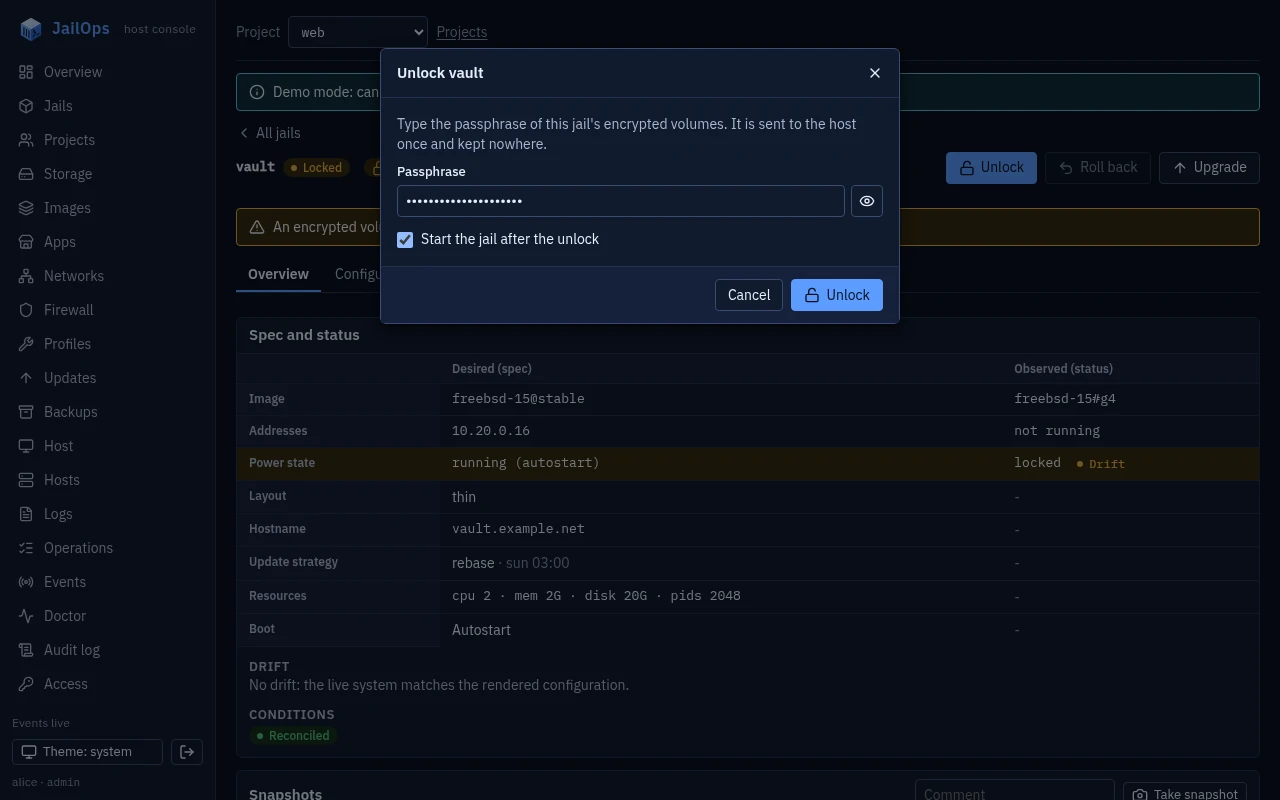
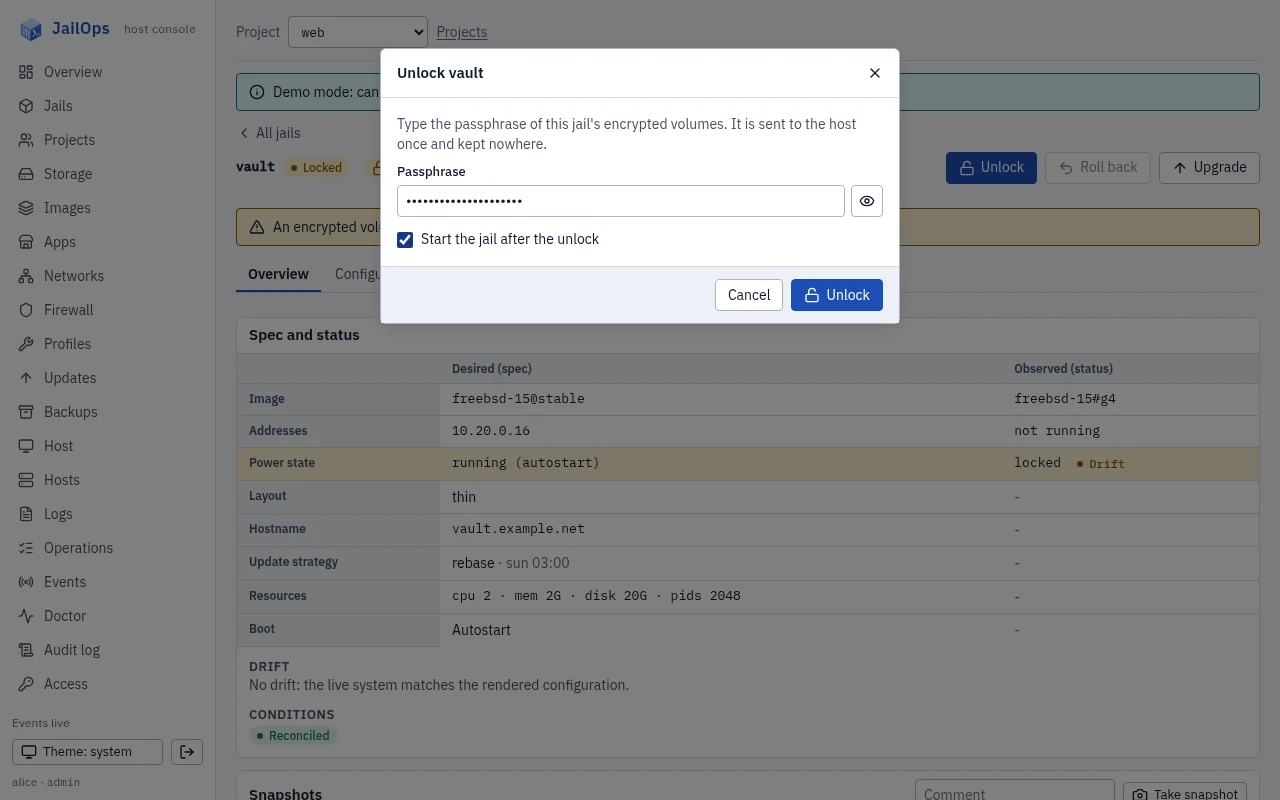
A locked jail carries a chip in the jail list and on its page, and the dashboard shows a banner with the number of locked jails. The Unlock dialog takes the passphrase without echo, with a show and hide toggle, and keeps nothing. The Volumes page makes encrypted volumes, locks them and, for an admin, changes their passphrase; the jail page attaches a volume.
Not in this version
Said plainly.
- Encrypting an existing volume in place:
encryptedcannot change after creation. - Key files, or any unlock at boot without a person.
- Encrypted storages, or a whole encrypted jail.
The details, the security model included: docs/storage.md.