Jail search and shell
In the JailOps console, Ctrl+K finds any jail by name, address, label or app, labels filter the jail list, and one click opens a jail's shell, with bash and a prompt you can tell from the host. The command line next to each step, the permissions, and what was tested.
Find a jail: the quick switcher
Ctrl+K, or Cmd+K on a Mac.
With twenty jails, scrolling a list works. With two hundred in five projects, you want to type. The host console has a quick switcher: Ctrl+K (Cmd+K), / anywhere no text is being typed, or the Search button in the side bar (in the top bar on a phone).
- It finds jails by name, image, address, label and app, and also the app catalog, images, networks, projects, storage and the console's own pages.
- Labels work as terms:
env=prod(the label has this value),team:(the jail has the label),-tier=edge(leave those out). - The order is whole name first, then prefix, then part of the name, then anywhere, then letters in order. Empty, it shows what you opened recently.
- Every project searches all the projects you may use, not only the current one.
- A jail row has its quick actions: Shell (
Shift+Enter), Logs (Alt+L), and Start or Stop (Alt+S; stopping asks first).
It is a dialog with a combobox and grouped results that a screen reader announces, each group capped with a "refine your search" line, and it searches in the browser's memory, so thousands of jails stay fast.
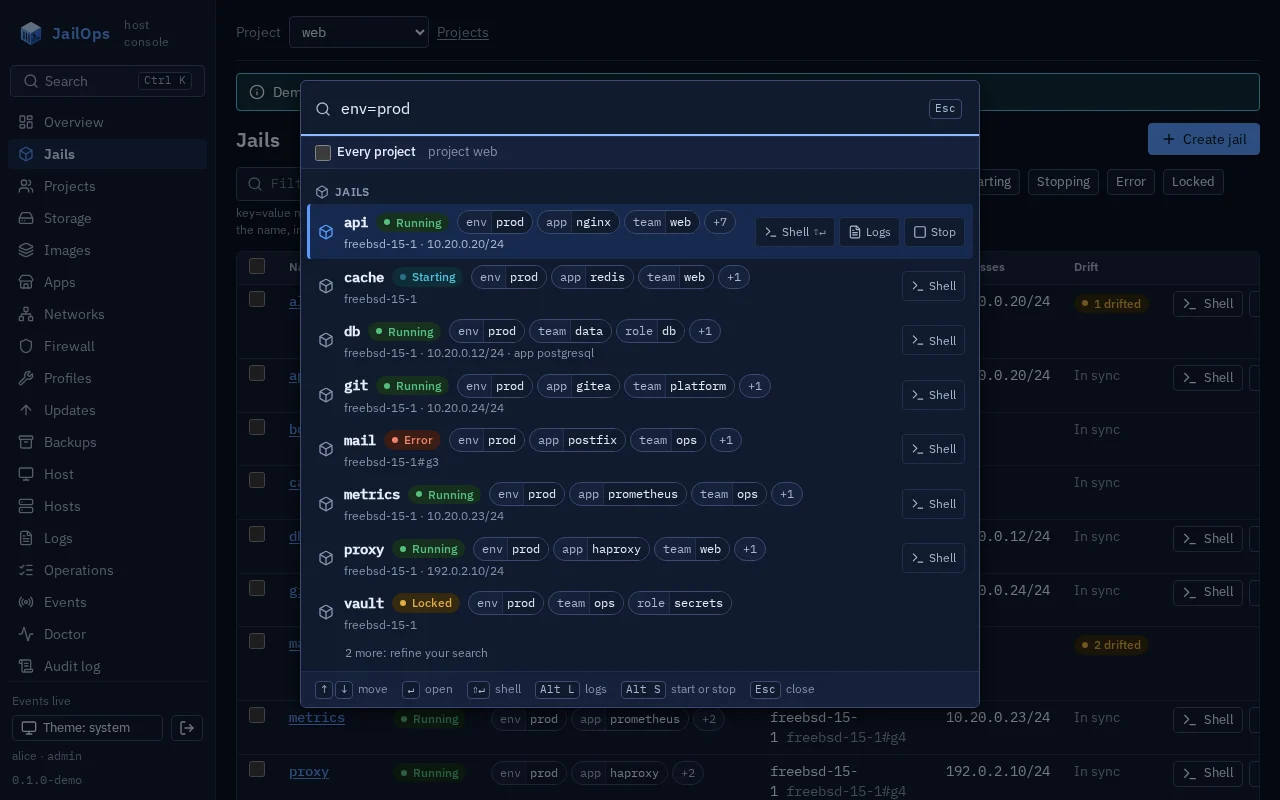
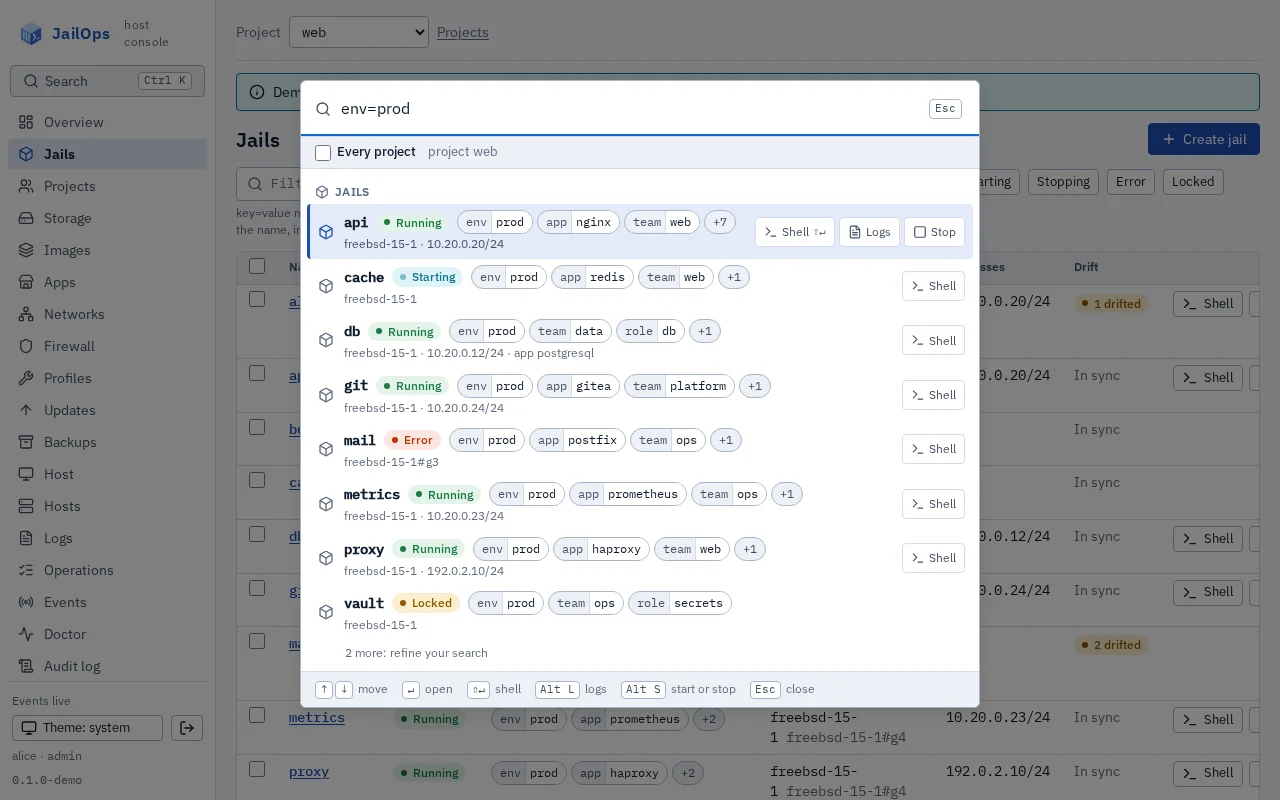
env=prod, with its actions. Demo data.Labels you can see and change
key=value on a jail.
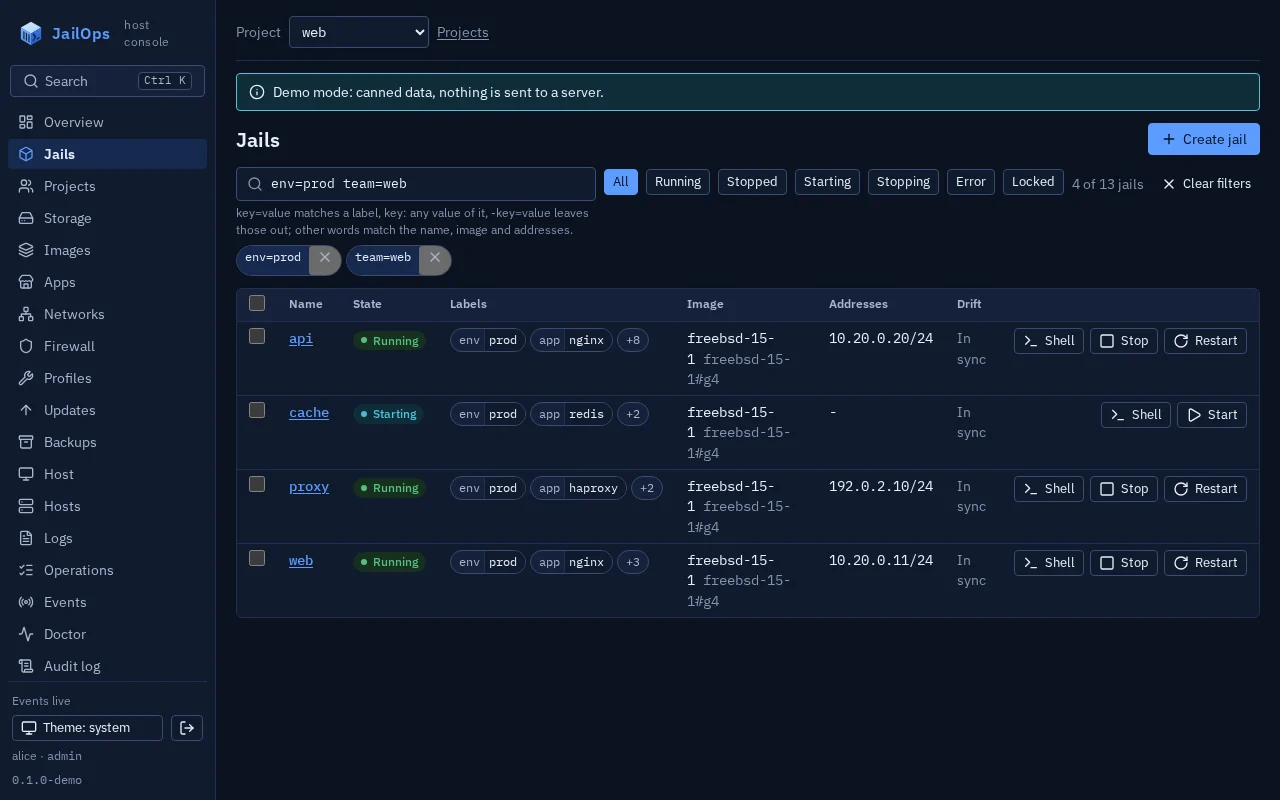
A label is a key=value pair on a jail: env=prod, team=web, tier=edge. JailOps gives most labels no meaning of its own; they are how you group jails, and what backup policies, log forwarding, the merged log view and bulk commands select. A changed label changes what they select: removing backup=yes takes a jail out of the nightly backup.
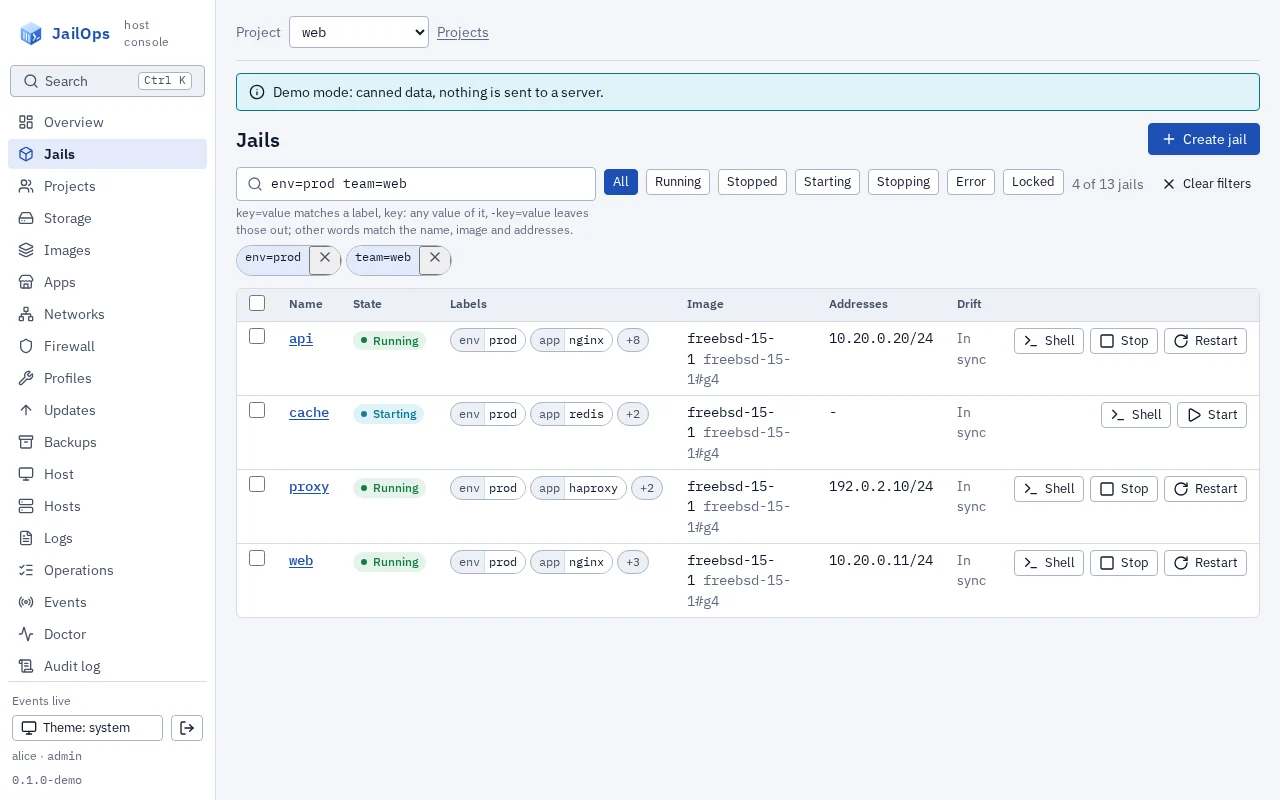
- Chips in the jail list, on the jail page and in the installed apps. A click on a chip filters the list by it.
- The list's filter reads
env=prod,env:,-team=weband plain words, suggests the keys and values your jails carry, and lives in the address:/jails?q=env%3Dprodis a link you can share, and the back button undoes a chip. The last filter is remembered per user and project. - Edit labels on the jail page, Labels for the jails selected in the list (set or remove one on all of them), and a labels field in Create jail.
- The rules are the server's. The console checks a label before it sends it, on the same test cases as the server. Keys that start with
jailops.are set by JailOps (an app installation writesjailops.app): the console shows them and does not offer to change them.
Open the jail's shell
One click, or one link.
Every running jail has a Shell button, in the list and on its page. /jails/NAME/shell opens the Console tab already connected, so a link to a jail's shell can go in a ticket or a runbook. A stopped jail offers Start and open shell: it starts the jail and connects once it runs.
The Console tab says which shell runs as whom, and shows the same session's command line, jailops shell NAME --project P, with a copy button. A jail page opens on the tab you used last for that jail.
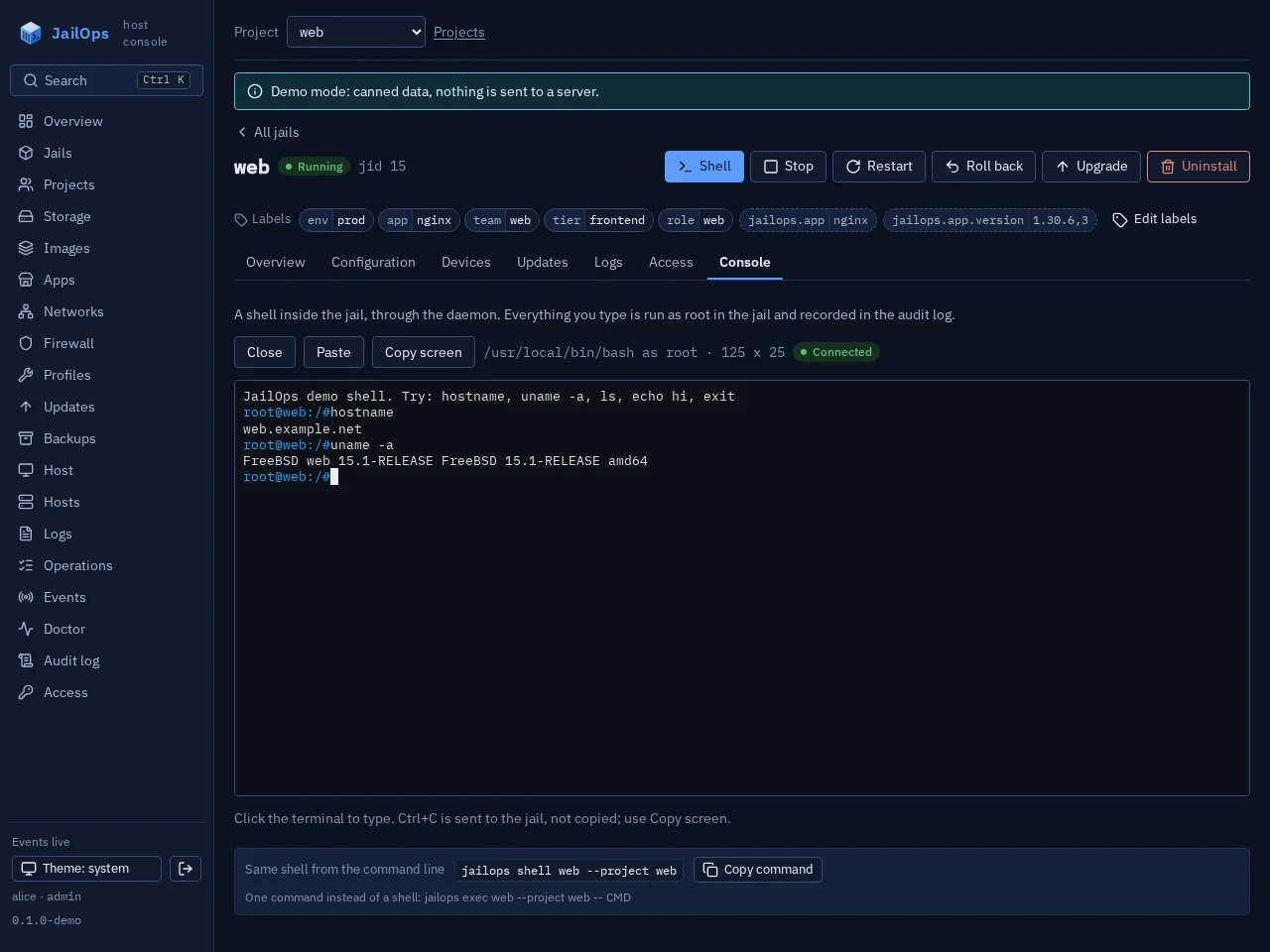
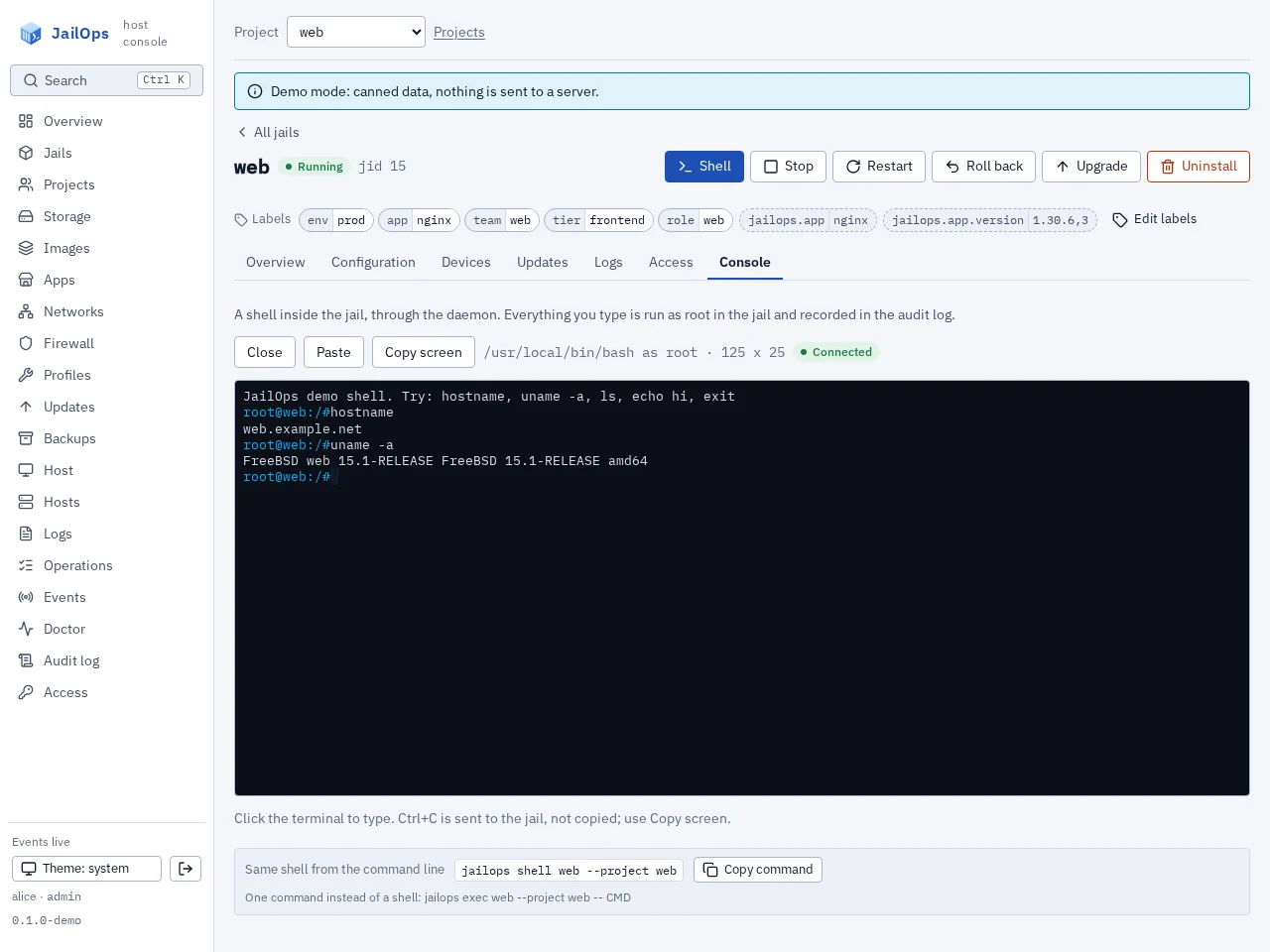
bash and a prompt you can tell apart
A new FreeBSD jail comes with bash, installed from the host's package repository at its first start (pkg -r ROOT install -y bash, as an app installation does), and a light blue prompt for every user of the jail that says where you are. Two small files JailOps owns, /usr/local/etc/profile.d/jailops-env.sh and jailops-prompt.sh, are read through a marked block at the top of /usr/local/etc/profile and /usr/local/etc/bash.bashrc. All of it lives in /usr/local, so it survives an upgrade of the jail, and a user's own ~/.bashrc wins.
The prompt shows the jail, and in grey in square brackets its project and the host it runs on, so an ssh login or jailops shell tells you at once which jail of which project on which host you are in:
root@web [shop/babel]:/usr/local/etc#
ann@web [shop/babel]:~$
The jail's host name stays what it is, the jail's name. The place is in three variables that every interactive bash of the jail has: JAILOPS_JAIL, JAILOPS_PROJECT and JAILOPS_HOST (the host's short name). They come from the jail itself: the host starts it with three parameters, and FreeBSD gives them to the jail as the read-only sysctl security.jail.env, which jls -j web env shows on the host and sysctl -n security.jail.env shows in any shell inside the jail, so they stay right after a rename and when the jail moves to another host. The prompt reads the variables each time it is shown, and your own ~/.bashrc, a script run by hand or a prompt of your own can use them too. A shell that is not a bash, such as sh or ssh host command, does not have the variables but can read the sysctl. user@jail is in the colour of jails.prompt_color: set it once per host, red for production and green for test, and the colour tells the hosts apart. To write a prompt of your own, use the words {jail}, {project} and {host}, which read the variables. short is the same prompt without the grey tag, and none removes the prompt and keeps the variables. For one jail, or for every new jail of a host:
$ jailops config set web prompt short
$ jailops config set web prompt '\u@{jail} [{project}/{host}]:\w\$ '

# /usr/local/etc/jailops/jailopsd.yaml
jails:
  prompt: default
  prompt_color: 196    # user@jail in red on a production host
Two keys of the jail change it: shell (bash, sh or a path) and prompt (default, short, none or a PS1 text). A prompt is checked against an allow-list, so nothing in it can run a command. An existing jail is not changed on its own: Install bash and the prompt on its Console tab, or jailops jail shell-setup NAME, gives it what a new jail gets. Linux jails keep the shell and prompt of their distribution.
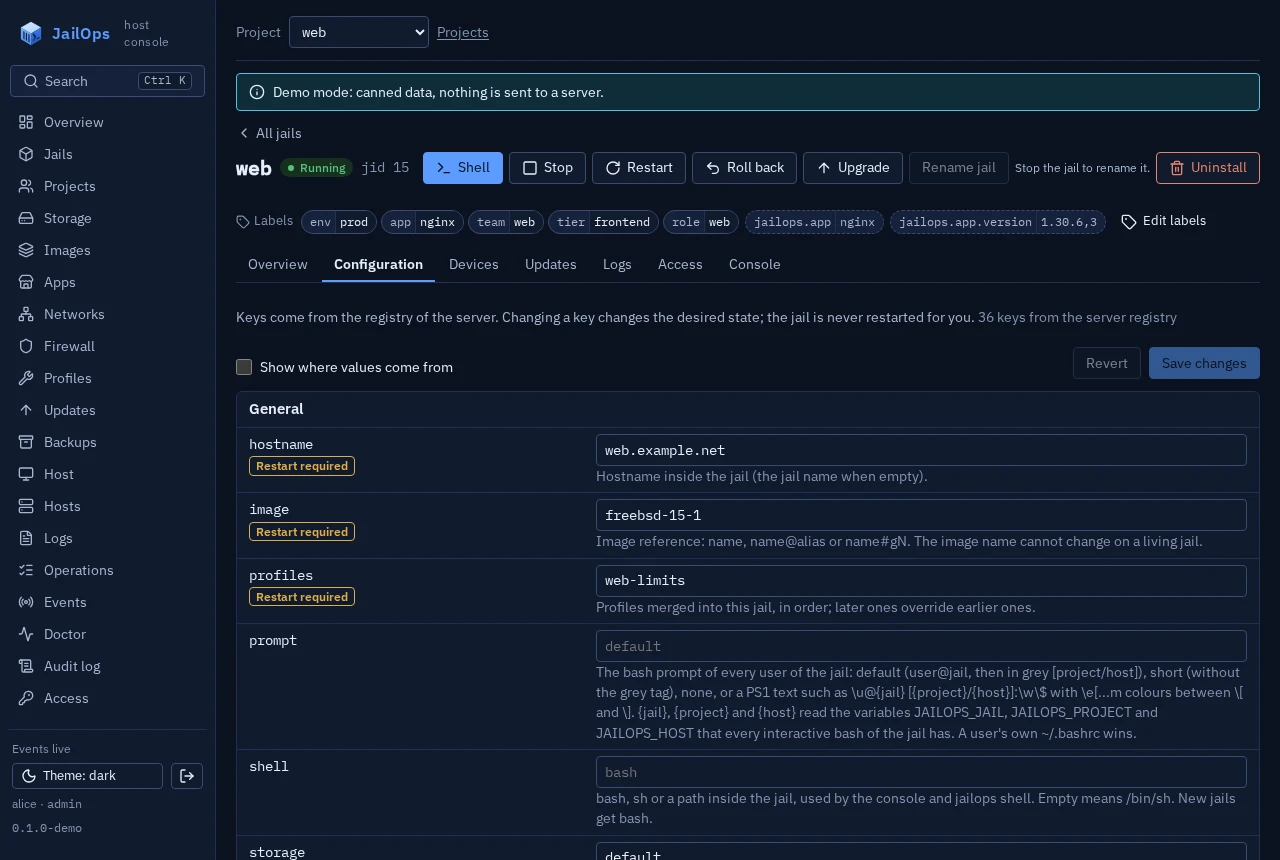
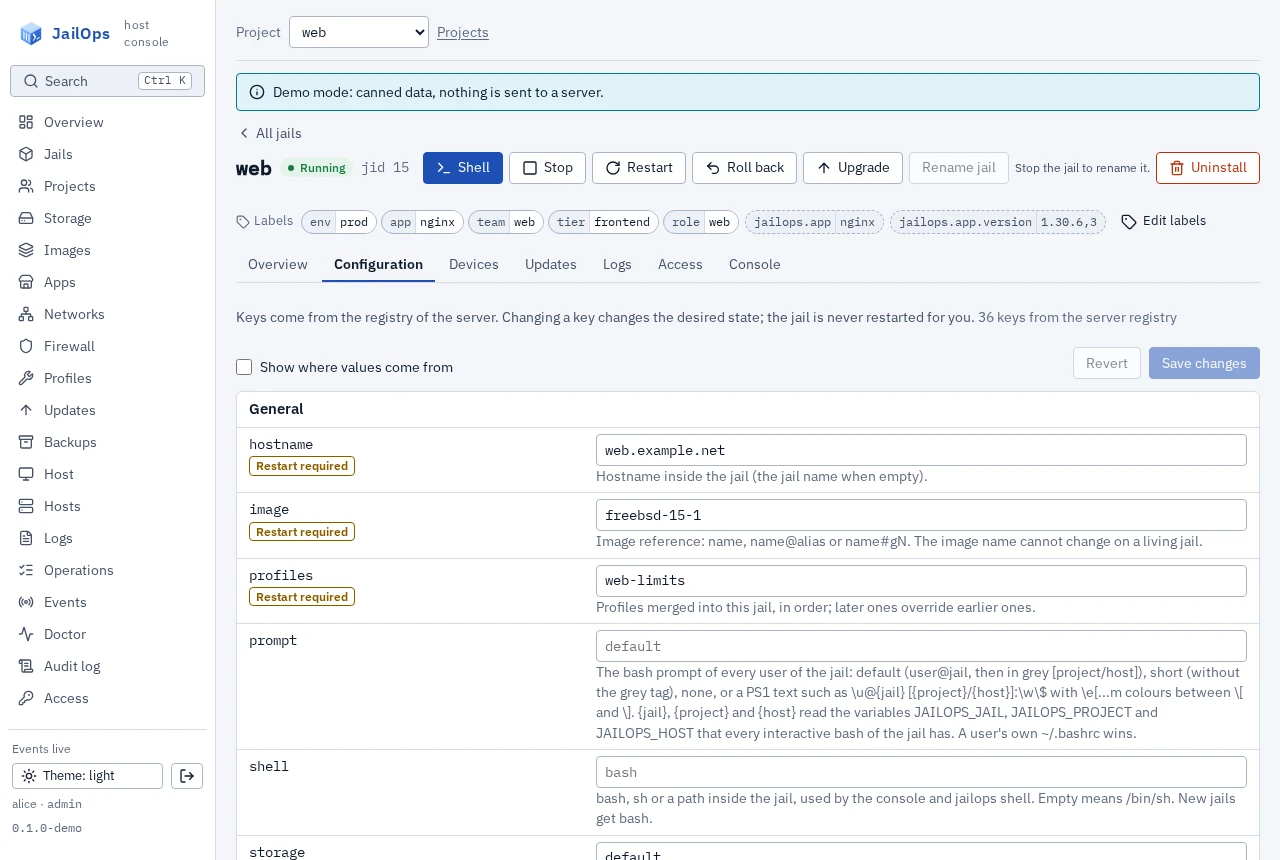
shell and prompt on the Configuration tab. Demo data.The command line next to each step
The same API underneath.
| In the console | On the command line |
|---|---|
| Quick switcher, a part of a name | jailops list 'w*' |
| Filter by labels | jailops list -l env=prod -l team=web |
| Edit labels: set, remove | jailops label web tier=edge, jailops label web tier- |
| Create jail with labels | jailops create web --image freebsd-15-1 --storage default --label env=prod |
| Shell | jailops shell web --project web |
Logs (Alt+L) | jailops jail logs web, or every jail with a label: jailops logs -l env=prod |
Start or Stop (Alt+S) | jailops start web, or by label: jailops stop -l env=staging |
| Install bash and the prompt | jailops jail shell-setup web |
The keys shell and prompt | jailops set web shell sh, jailops config set web prompt none |
The console's key: and -key=value terms filter in the browser; the command line's -l takes key=value only. Over the API, a label change is a merge patch of the jail: PATCH /api/v1/jails/{name} with {"metadata": {"labels": {"tier": "edge"}}}.
Who may open a shell
The same rights as the command line.
- A shell needs the operator role (or admin) in the jail's project, the right
jailops execneeds. The Console tab and the Shell buttons are offered only to such an identity, on a server with thejail_consoleextension. Nothing changed on the server for this. - Every session is recorded in the audit log, as a
jailops shellfrom the command line is. What you type runs as root in the jail. - Changing labels needs the admin role in the jail's project; reading them is part of reading the jail.
- Every project in the switcher searches only the projects your identity may use.
There is no second password before a shell: opening one is the same right as jailops exec, which your role in the project already grants, so a second prompt would guard nothing the role does not already allow. A permission for shells that is separate from starting and stopping is on the list of things to build if people ask for it.
The full rules
For reference.
The full rules are in docs/labels.md and docs/shell.md.
More articles
Jail updates without cron
Replace the nightly script that upgrades every jail: automatic jail upgrades per image, with a health check, a rollback and a record of every run, what they leave alone, and how a new FreeBSD release comes in.
Read the article: Jail updates without cronGetting started with the JailOps CLI
Root on the host, the command line and nothing else: install JailOps, build an image, create a network and a jail, reach it by name, snapshot it, open a port and install an app.
Read the article: Getting started with the JailOps CLIJailOps on a netcup server, with IPv6 that stays up
A /64, a router pair and a FreeBSD default that drops their probes. How every jail gets its own IPv6 address on netcup, and the one sysctl that ends the random unreachable alerts.
Read the article: JailOps on a netcup server, with IPv6 that stays upOne small cloud server, many services, solid IPv6
Run your database, web tier and workers on one low-cost server, each jail with its own IPv6 address, and fix the alerts a shared /64 causes with one sysctl.
Read the article: One small cloud server, many services, solid IPv6Write your own app: memcached, from package to catalog
Turn a small FreeBSD package into a JailOps app: the definition line by line, the offline check, a local install, the five traps, and the pull request that puts it in the catalog.
Read the article: Write your own app: memcached, from package to catalogFrom catalog to running service in one command
Install nginx from the app catalog with one command, see each of its steps, and find the data, the configuration, the logs and the snapshot afterwards.
Read the article: From catalog to running service in one commandA firewall you can read
Policies, address sets and jails by name (jail:web), each with a comment, so the firewall can be reviewed by someone who did not write it.
Read the article: A firewall you can readPostgreSQL and git, closed except for who needs them
Close a database and a git server, then let in exactly the web jail and the office, with a comment on every entry.
Read the article: PostgreSQL and git, closed except for who needs themProjects are boundaries
A project is a boundary. Another project is an external host, so only addresses cross it, written out on both sides. Why that is simpler to review, and what a project does not isolate.
Read the article: Projects are boundariesThe life of a jail
A jail starts at boot only when you declared it with --autostart. Why JailOps does it this way, how the order is decided, and how to see it with jailops boot.
Read the article: The life of a jailTab completion for jailops
Press Tab and get the names of your jails, networks and firewall policies, even on another host. How to install and turn on completion in bash, zsh and fish.
Read the article: Tab completion for jailopsTest the firewall before you trust it
Ask the firewall whether a connection would pass, and why, before you try it. Read the answer, put it in a script, and know what it cannot tell you.
Read the article: Test the firewall before you trust itSee a connection before it happens
Pick a From and a To, a protocol and a port, press Run, and see the connection flow through the firewall: what passes, what stops it, and which rule decides.
Read the article: See a connection before it happensLimit what a jail can use
Give a jail a ceiling for memory, processes, CPU, disk, firewall states and bandwidth, one command each, and know what happens when it reaches it.
Read the article: Limit what a jail can useStop every jail cleanly when the host shuts down
A host that reboots should stop its databases before it stops the disks. How JailOps stops the jails in order, and how to start them in order again.
Read the article: Stop every jail cleanly when the host shuts downOne line in pf.conf
The host's firewall stays yours. JailOps asks for one line, and everything for the jails lives below it.
Read the article: One line in pf.confWhat the host tells you by itself
A pool that reports an error, an uplink that goes down, a jail that reaches a limit: they show up in the event stream by themselves.
Read the article: What the host tells you by itselfNetworks the host controls
No bridge, no DHCP. The host hands out the addresses, gives each jail a link of its own and is the router, so jails cannot see or impersonate each other.
Read the article: Networks the host controlsVolumes: data that outlives a jail
Keep the data in a volume and the jail disposable. One volume can be attached to several jails, has its own snapshots and its own backup.
Read the article: Volumes: data that outlives a jailBack up volumes once
One copy of a volume, however many jails use it. Leave volumes out when you want to, bring them back with the jail.
Read the article: Back up volumes onceA private Docker registry
A registry of your own with users in a file: one jail, docker-registry and docker-auth, htpasswd for the passwords, the images on a volume.
Read the article: A private Docker registryNames for jails
A jail is reached by its name inside its project: db.shop.internal, or just db. Create a jail and its name is there; delete it and the name is gone.
Read the article: Names for jails
Try it on one server.
Try the console from the screenshots, install on a clean FreeBSD 15.1 machine, or add JailOps to a host you already run.